Install Our App
Get the best experience with our Progressive Web App

The Confederation College Perks web app is designed to be launched from a mobile device. Please scan the QR code below using your phone to begin the installation process.

Install Instructions
Android
iPhone/iPad
1
Open Chrome Menu
Tap the three dots menu in the top right corner of Chrome browser
2
Select "Add to Home Screen"
Look for "Add to Home Screen" or "Install App" option in the menu
3
Confirm Installation
Tap "Add" or "Install" to add the app to your home screen
1
Tap Share Button
Tap the share icon (square with arrow) at the bottom of the screen

2
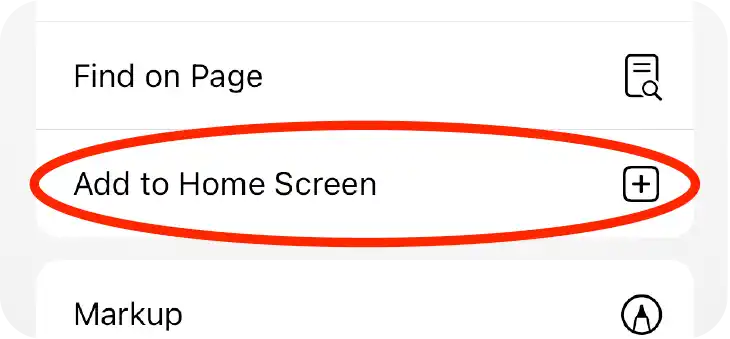
Add to Home Screen
Scroll down and tap "Add to Home Screen" from the share menu
3
Confirm Installation
Tap "Add" in the top right to install the app to your home screen
